Features

Everything EPIC does, in one place.

Understand any page in seconds, check the journeys customers take, monitor what changes, report it clearly, and test fixes without touching production.

Building a SaaS app or API? See EPIC for SaaS & API teams and what's coming in 1.1.

Understand

A 30-second read on any page or app screen.

Open any page, click Quick Scan. EPIC reloads it with capture on, reads what people, AI, browsers and search engines see, and explains it in plain English.

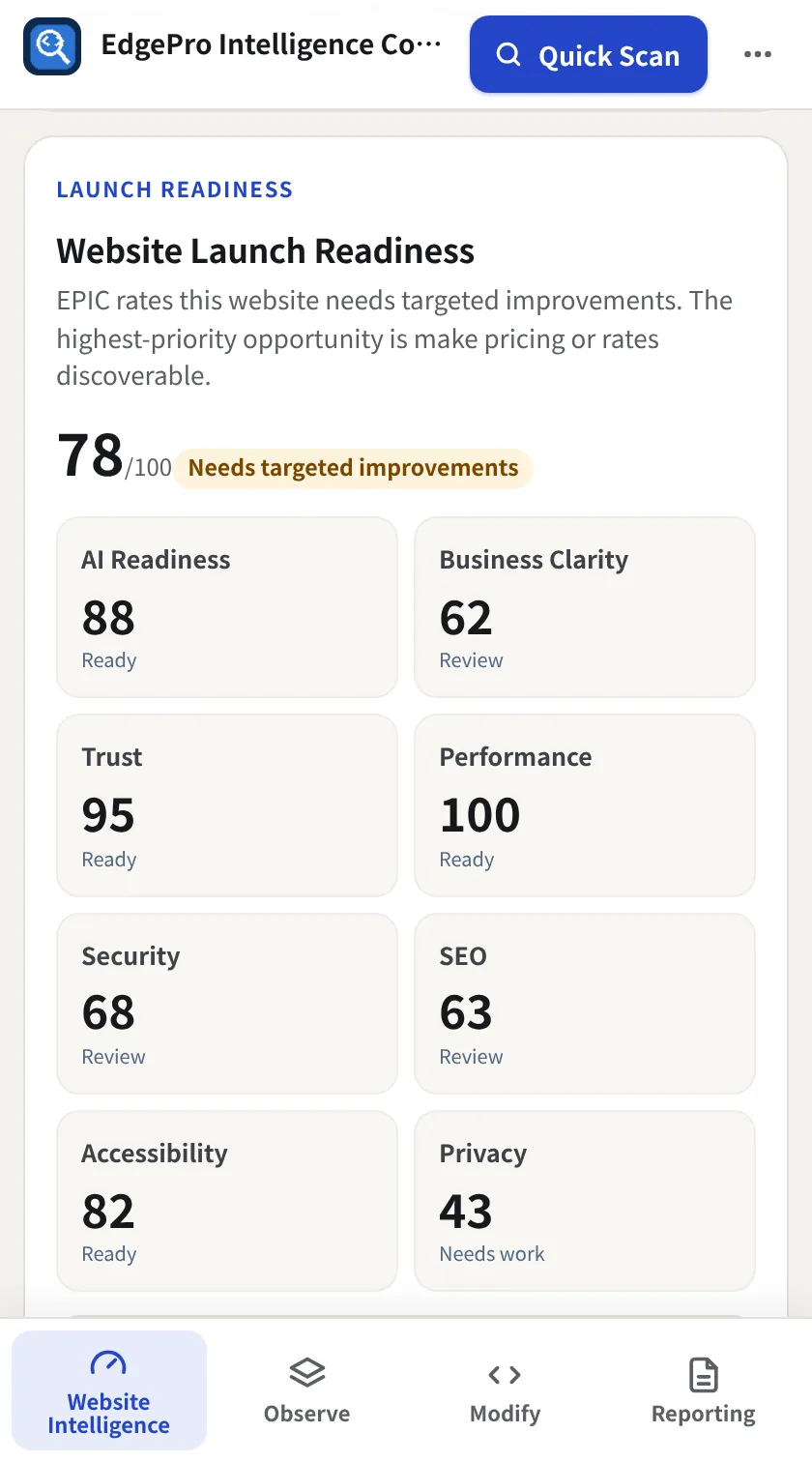
  • One overall health score plus AI visibility, business clarity, trust, SEO, security, performance, accessibility and privacy
  • Launch readiness, quick wins and top priorities ranked by impact and effort
  • “For you” shortcuts that match your role: marketing, developer, security, manager
  • Optional passive checks badge problems on pages as you browse, with no scan and nothing sent anywhere
Free
EPIC Website Intelligence overview
Launch readiness scores
Journeys

Does the thing customers actually do still work?

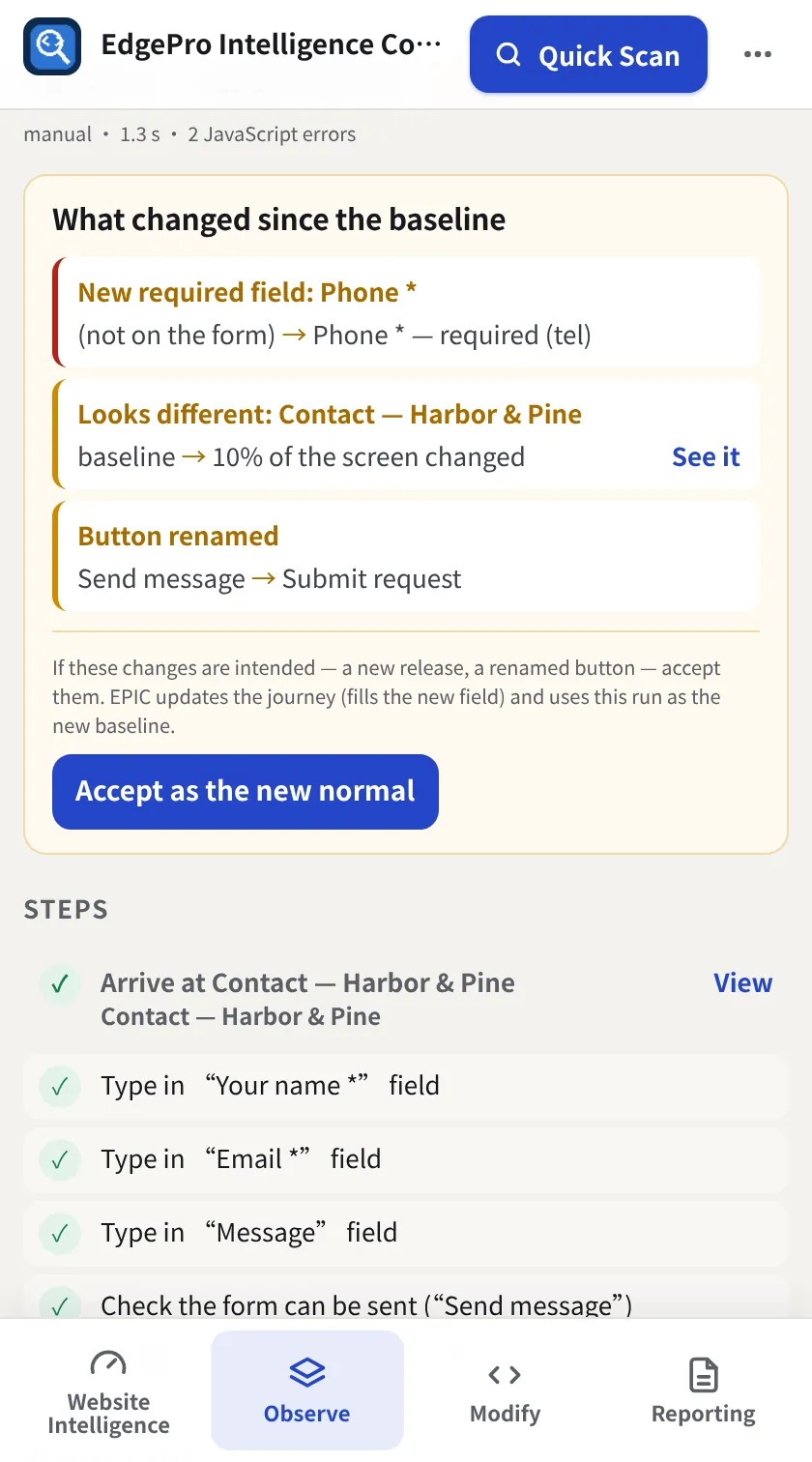
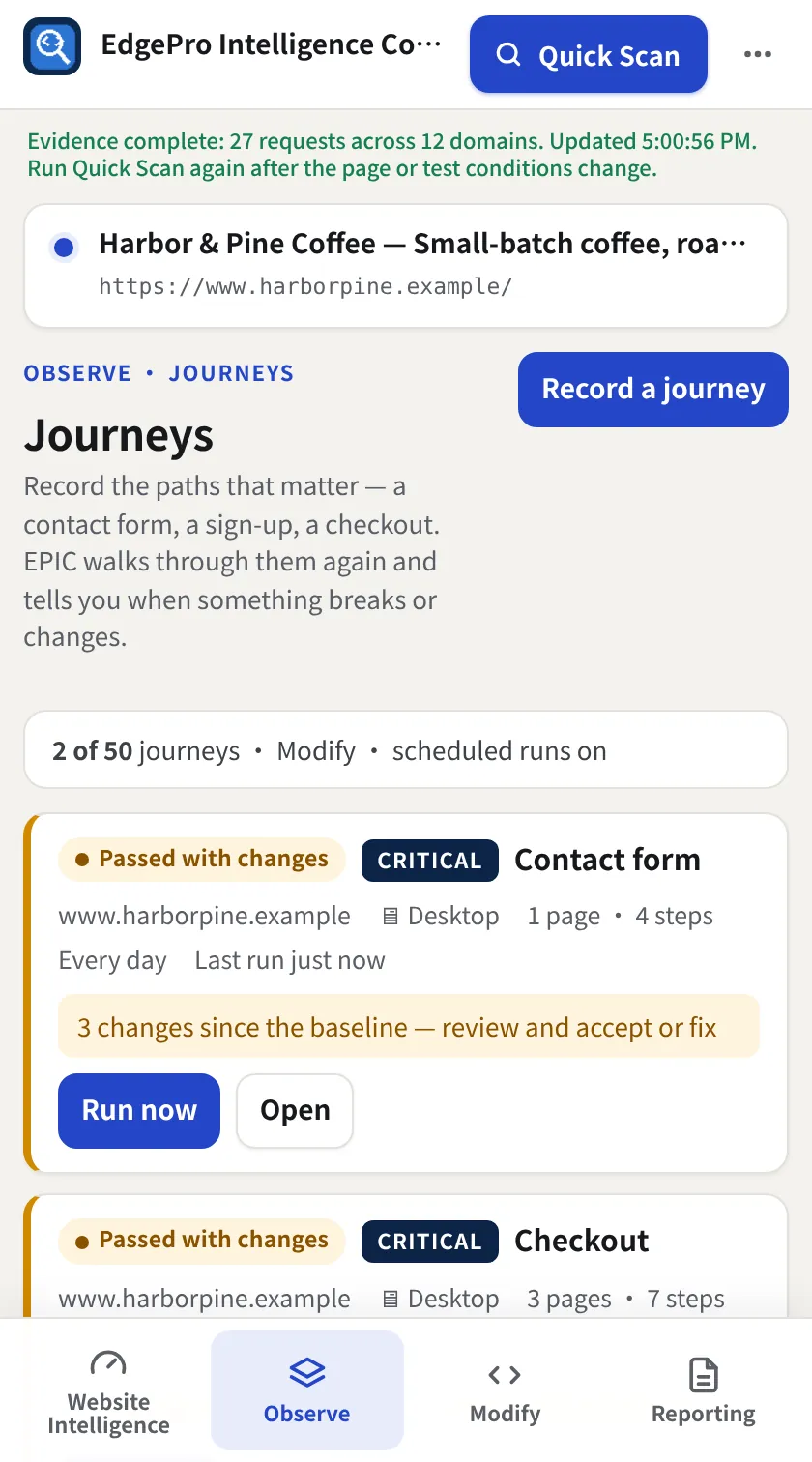
Record a contact form, sign-up or checkout once. EPIC walks it again, by hand or on a schedule, and tells you when it breaks or changes.

  • Passed, Passed with changes or Broken, with the failing step, what EPIC looked for and a screenshot
  • Detects new or required fields, renamed buttons and links, new pages in the flow, address changes, JavaScript errors and visual changes
  • Forms are filled in and validated, never sent; passwords are never stored, and logged-in journeys use your browser's login
  • Desktop (1280 px) or Mobile (390 × 844), fixed while recording and on every run
  • Accept intended changes as the new normal; a visual lens to compare any two runs
  • Free: 1 journey by hand · Observe: 10 scheduled · Modify: 50
Observe + Reporting
Journey with changes since the baseline
Journeys list
Marketing & SEO

Tags, pixels, consent and schema, checked every scan.

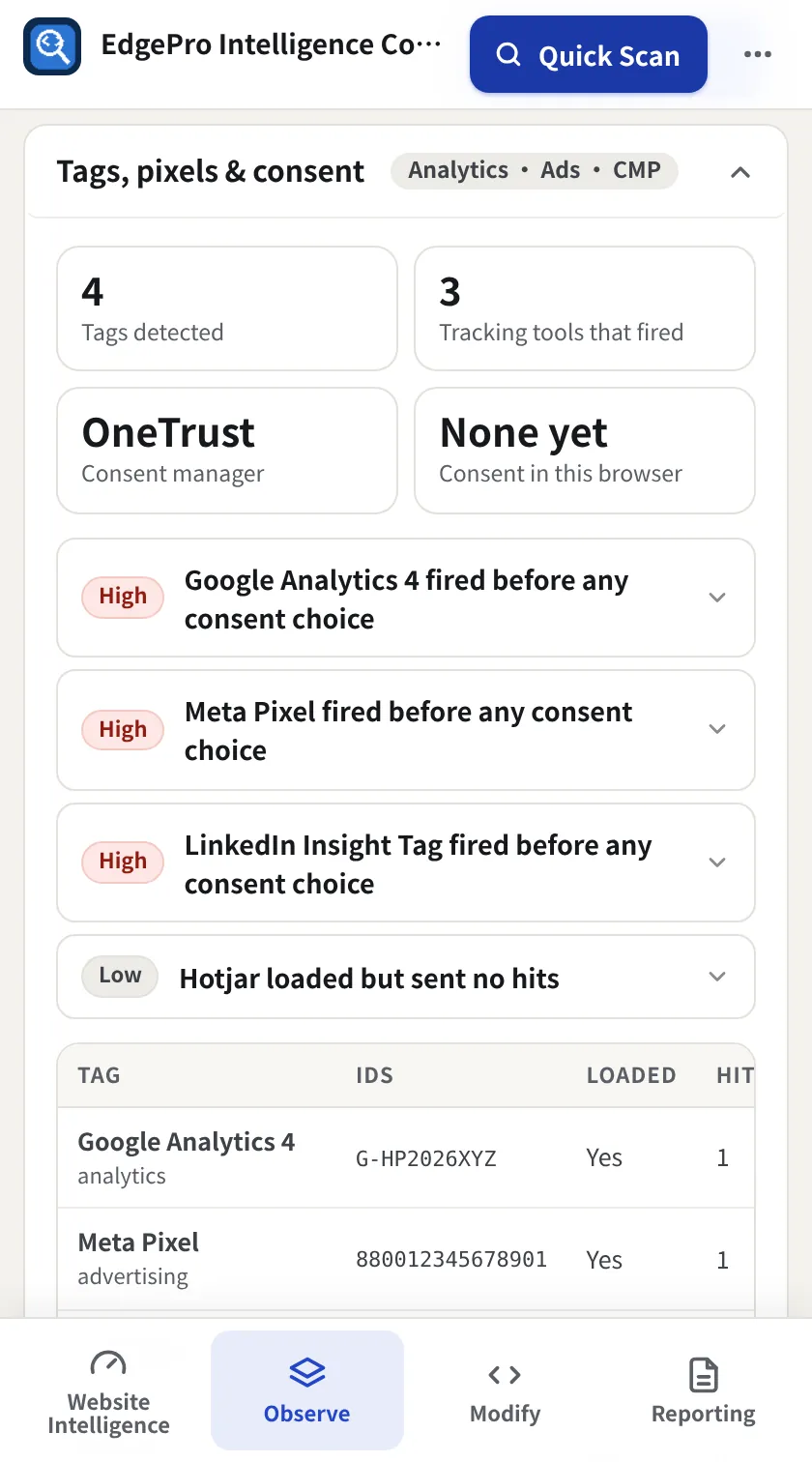
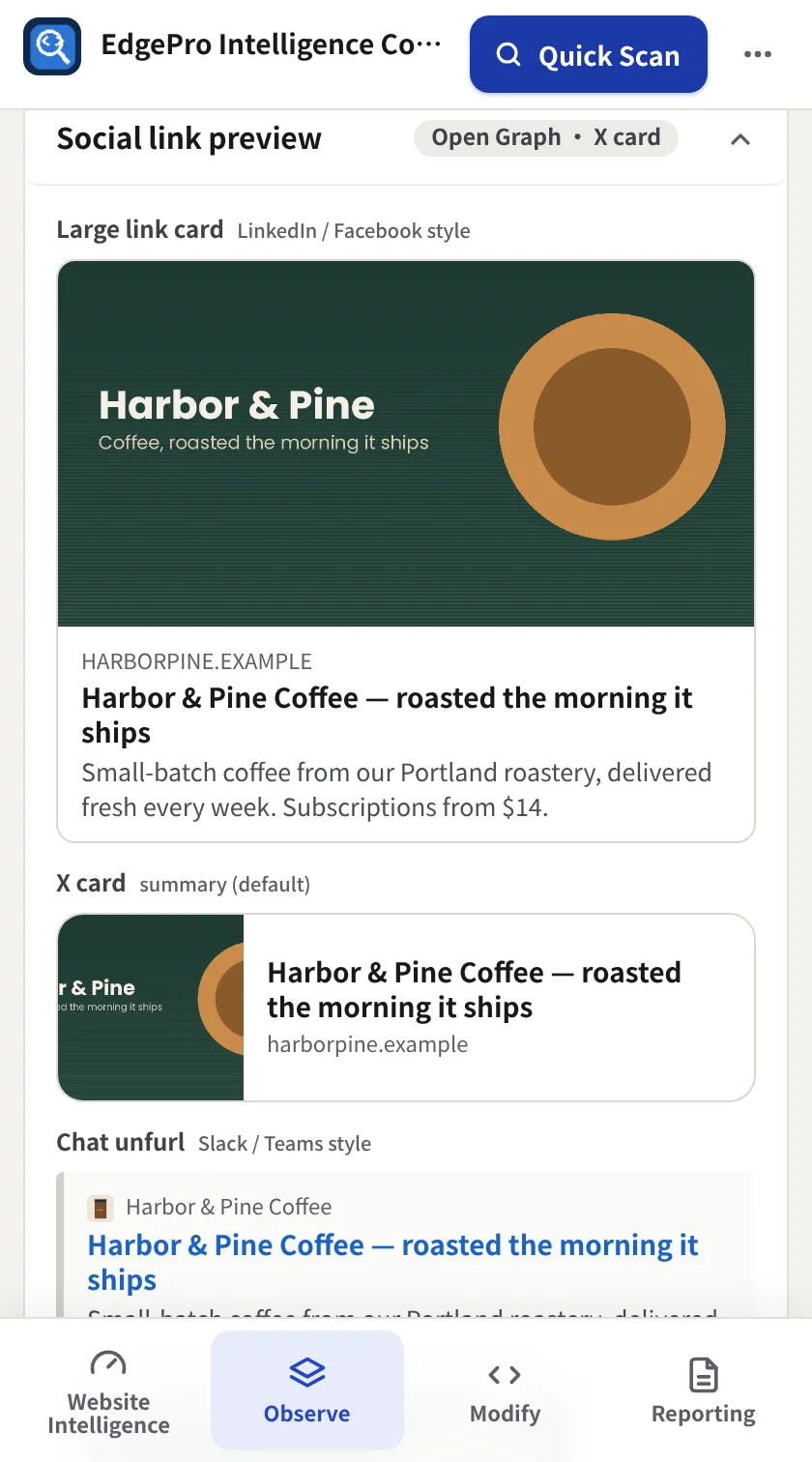
See which analytics and ad tags load, whether they fire before a consent choice, and whether your social previews and structured data are right.

  • Recognises GA4, GTM, Google Ads, Meta, LinkedIn, TikTok, Hotjar, Clarity, HubSpot and more
  • Reads the consent manager and Google consent mode, and flags tags that fire before consent or after refusal
  • Large-card, X and chat previews, with fixes for missing or broken share images
  • Links and UTMs, broken-link check, and a schema validator for 22 schema.org types
Observe + Reporting
Tags, pixels and consent audit
Social link previews
Site Scan

Scan the whole site. Fix what matters most.

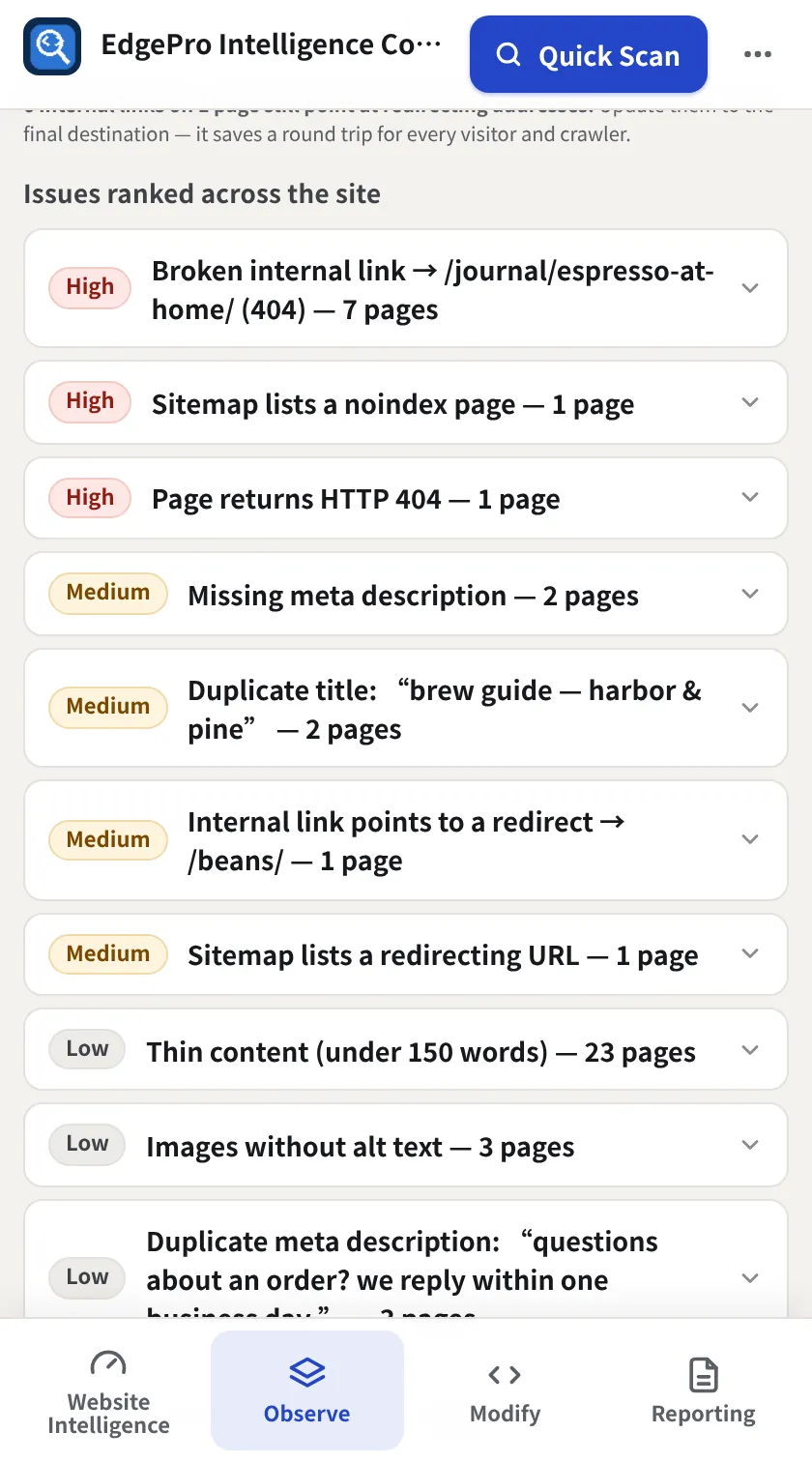
Crawl up to 100 pages from the sitemap or by following links, and get issues ranked by severity and how many pages they affect.

  • About 20 checks per page: titles, descriptions, canonicals, noindex, status codes and more
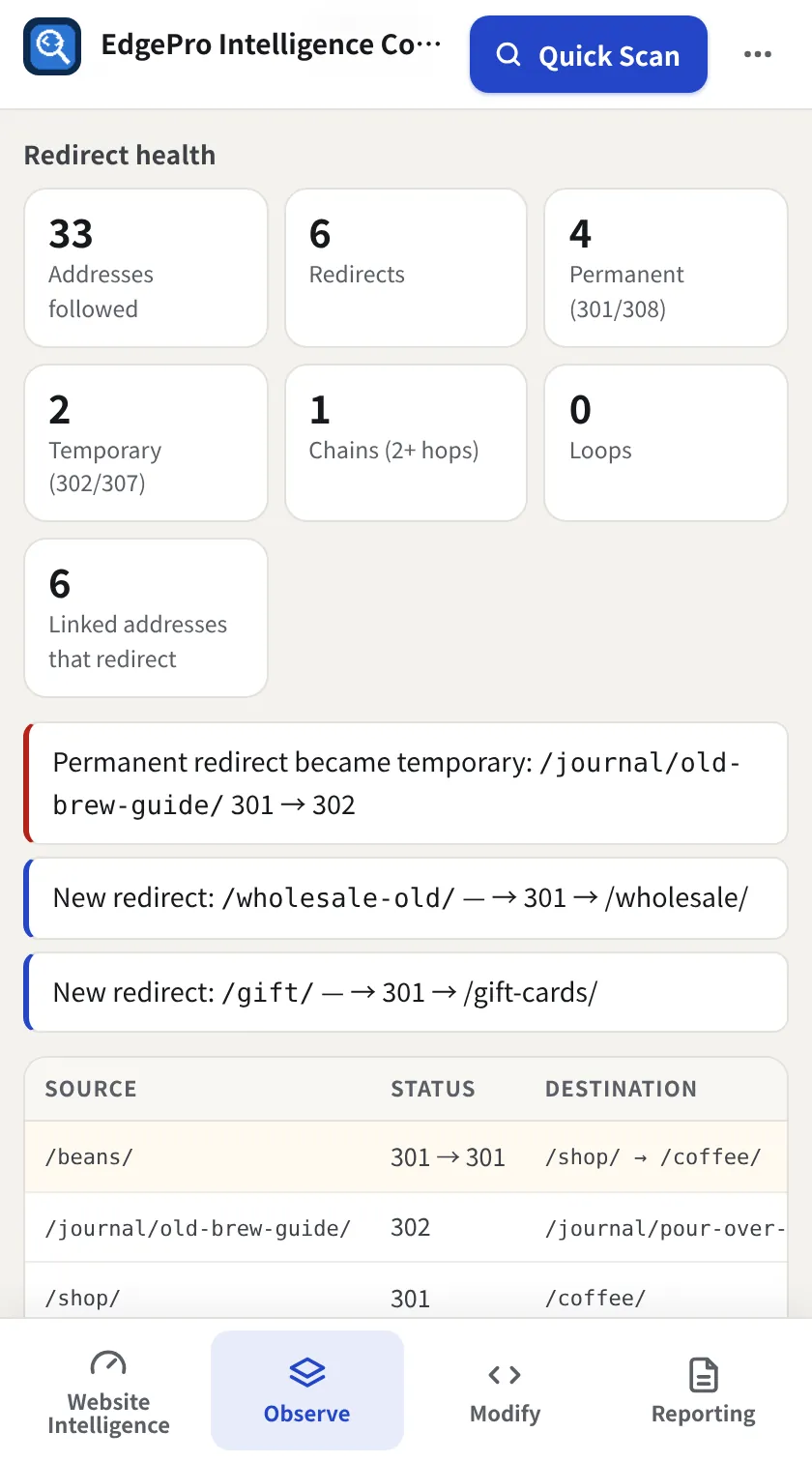
  • Redirect health: 301/308 vs 302/307, chains, loops, and internal links still pointing at redirects, with changes logged every scan
  • Site-wide: duplicate titles and descriptions, sitemap problems, broken internal links and where they're linked from
  • A site health score with the change since the last run
  • Download as CSV or copy a summary
Observe + Reporting
Site Scan issues ranked across pages
Redirect health across the site
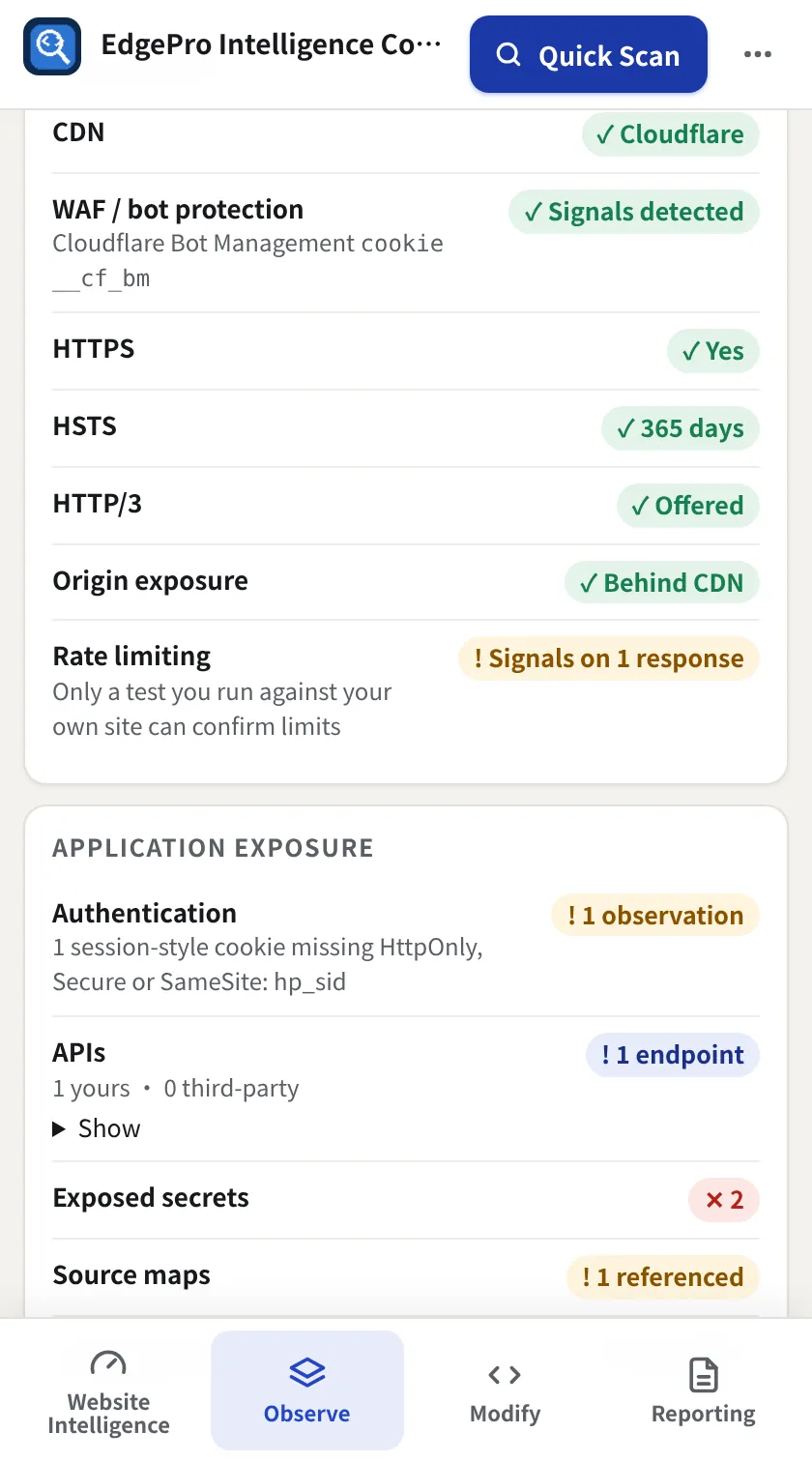
Resilience Intelligence

How ready is your site for a traffic spike or a common attack?

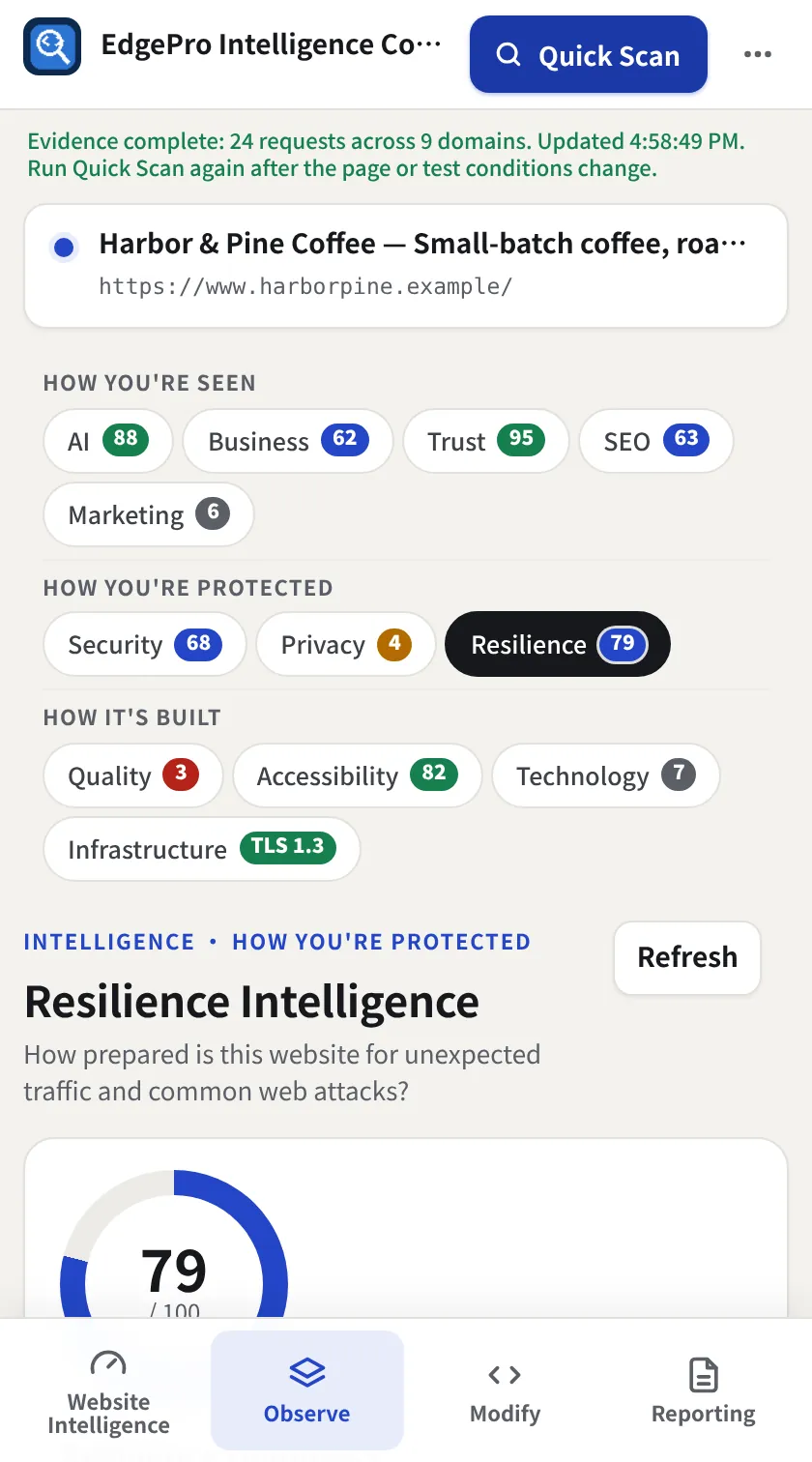
One readiness score built only from evidence your browser can see, with the biggest wins first. EPIC never sends attack or load traffic.

  • Protection: CDN, WAF and bot-protection signals, HTTPS, HSTS, HTTP/3, origin exposure, rate-limit signals
  • Application exposure: sign-in and session observations, API endpoints, exposed secrets, source maps, CORS, 9 security headers
  • Traffic efficiency: page transfer, cacheable and compressed files, edge-cache hits, third-party share, large assets
  • Signals it can't see are left out, not guessed, and tracked over time in the Change Log
Observe + Reporting
Resilience readiness
Protection, exposure and efficiency
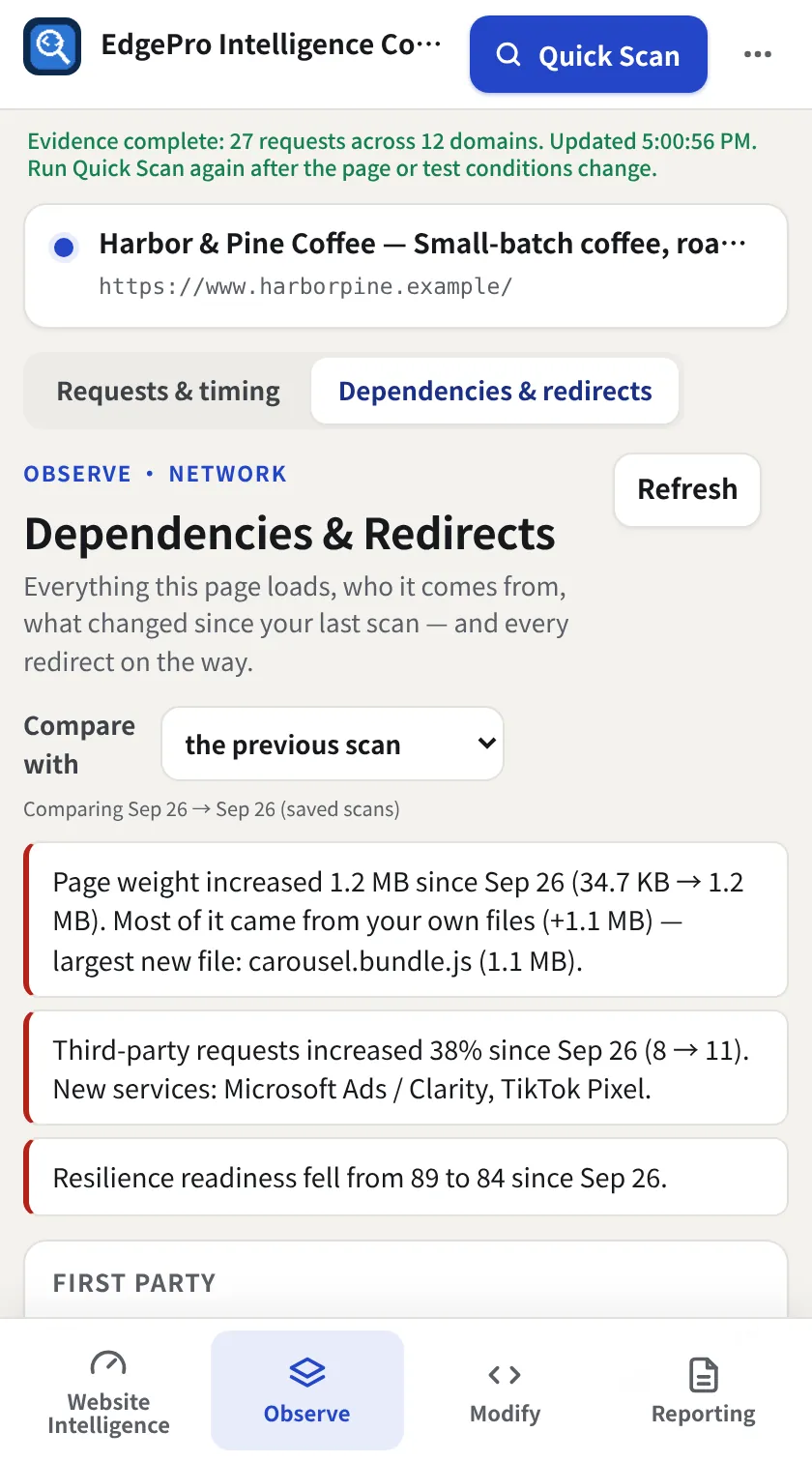
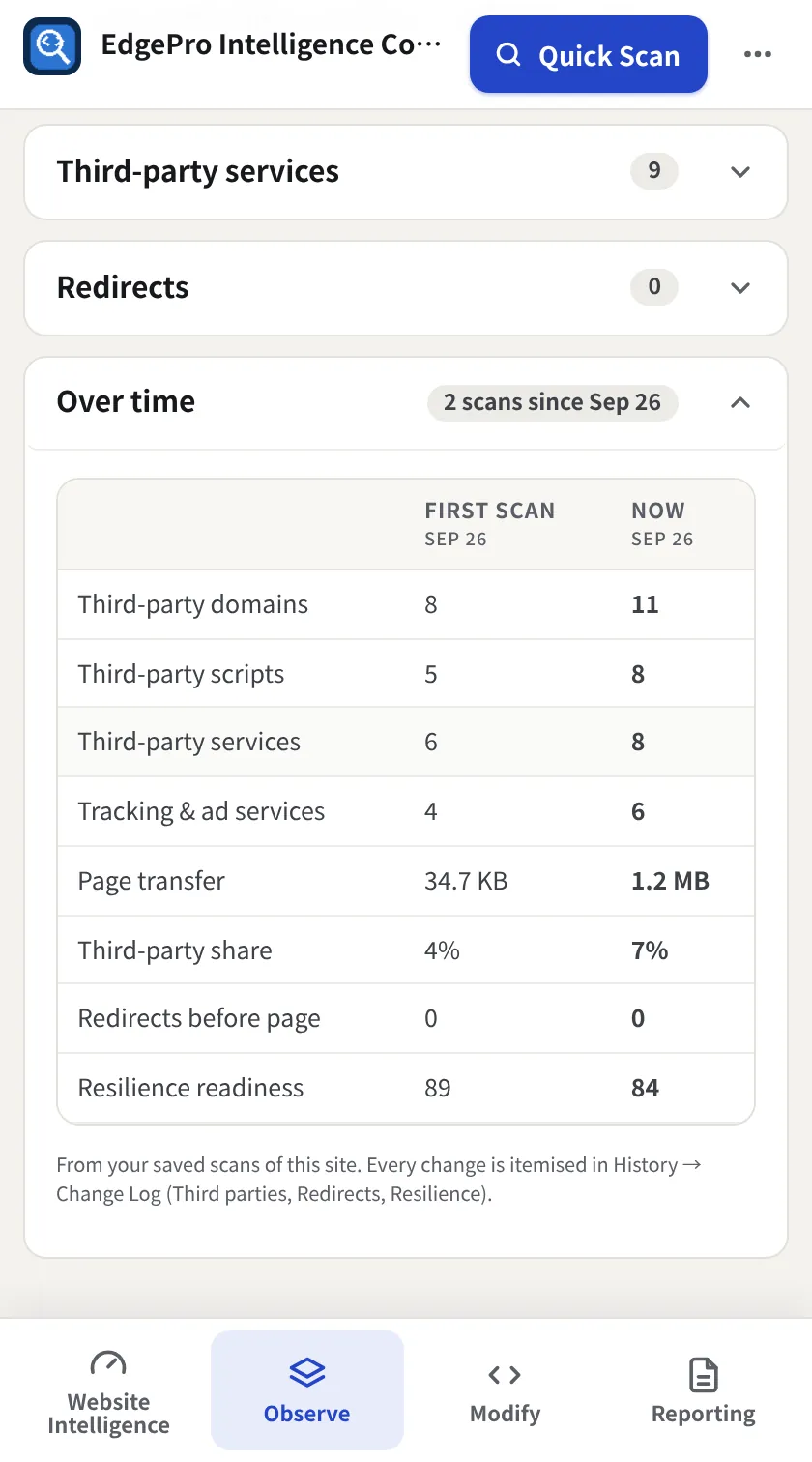
Dependencies & Redirects

What changed, who caused it, and why it matters.

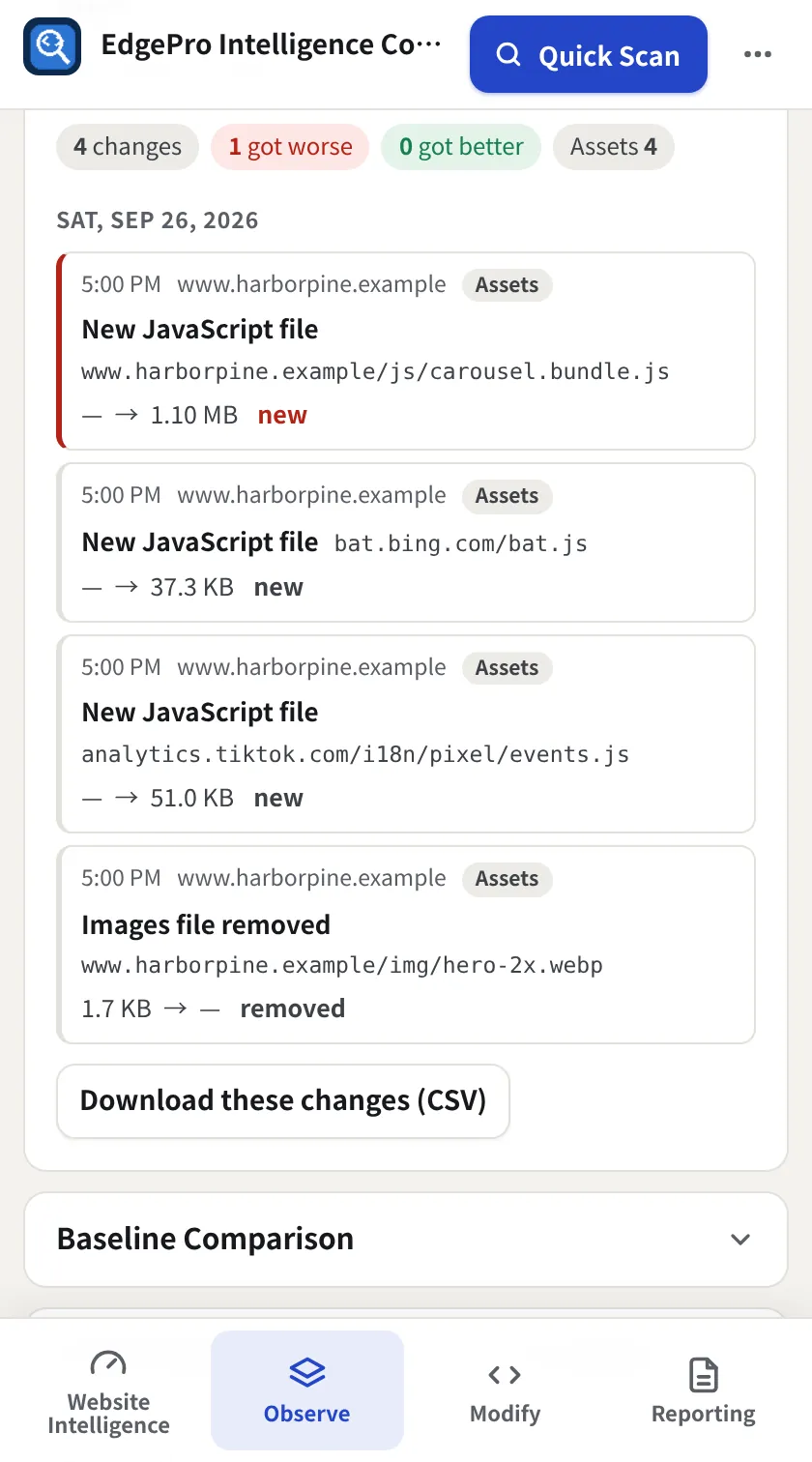
Every first- and third-party dependency on the page, what's new since your last scan, and plain-language correlations with page weight and speed.

  • First party vs third party: requests, transfer, scripts, stylesheets, images, fonts and API calls
  • 110 known services in 20 categories, trackers & ad services, render-blocking and failed third-party files
  • “Page weight increased 1.2 MB. Most of it came from your own files. Largest new file: carousel.bundle.js.”
  • Compare with the previous scan or 30, 60 or 90 days ago; how visitors reach the site (http/https, www), hop by hop
Observe + Reporting
Dependencies and change insights
Third-party services table
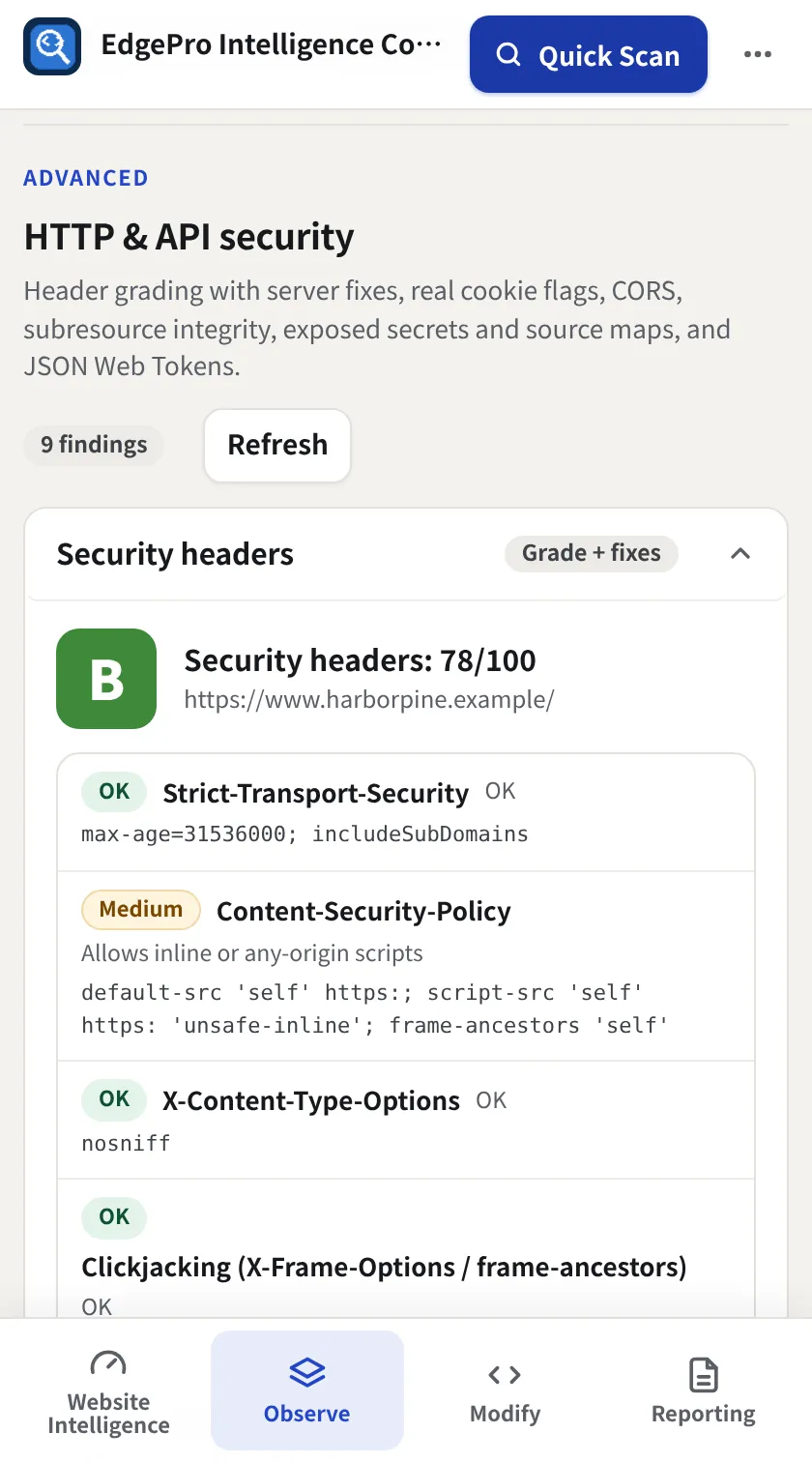
Security

HTTP & API security with fixes ready to paste.

Grade security headers, audit cookies and CORS, and find credentials that leaked into client-side code, all from the page your browser already loaded.

  • Security header grade (A to F) with config for nginx, Apache, IIS, Cloudflare/Netlify and Express
  • Cookie flags, CORS, and subresource integrity on third-party scripts
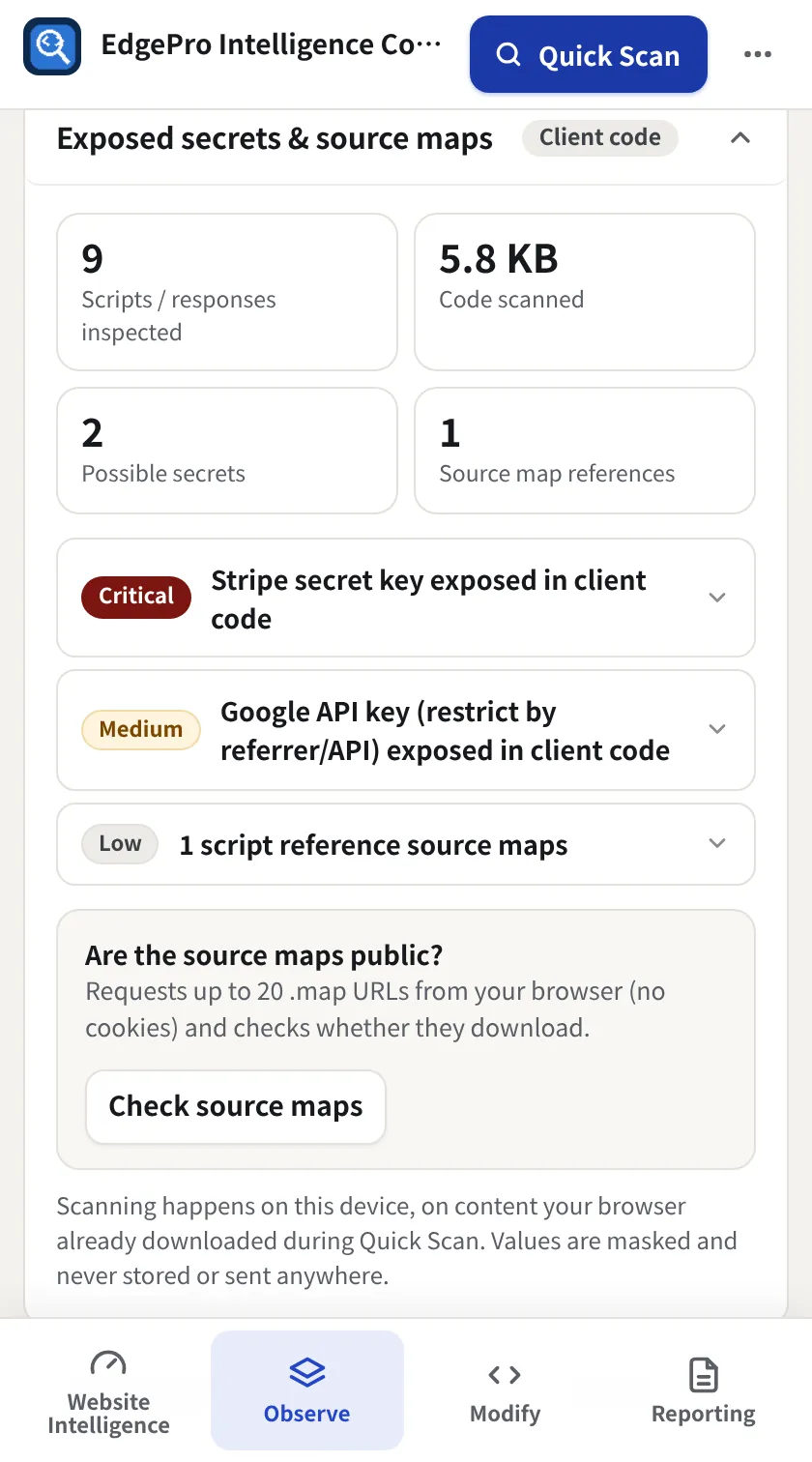
  • 18 kinds of exposed secrets (AWS, Stripe, GitHub, OpenAI and more), masked and never stored
  • Public source maps and a JWT inspector for tokens in URLs, headers, cookies and storage
Observe + Reporting
Security headers graded
Exposed secrets and source maps
Quality

Know exactly what changed in every deploy.

Console errors, failed requests and a before-and-after deploy check, so regressions are caught by you, not your users.

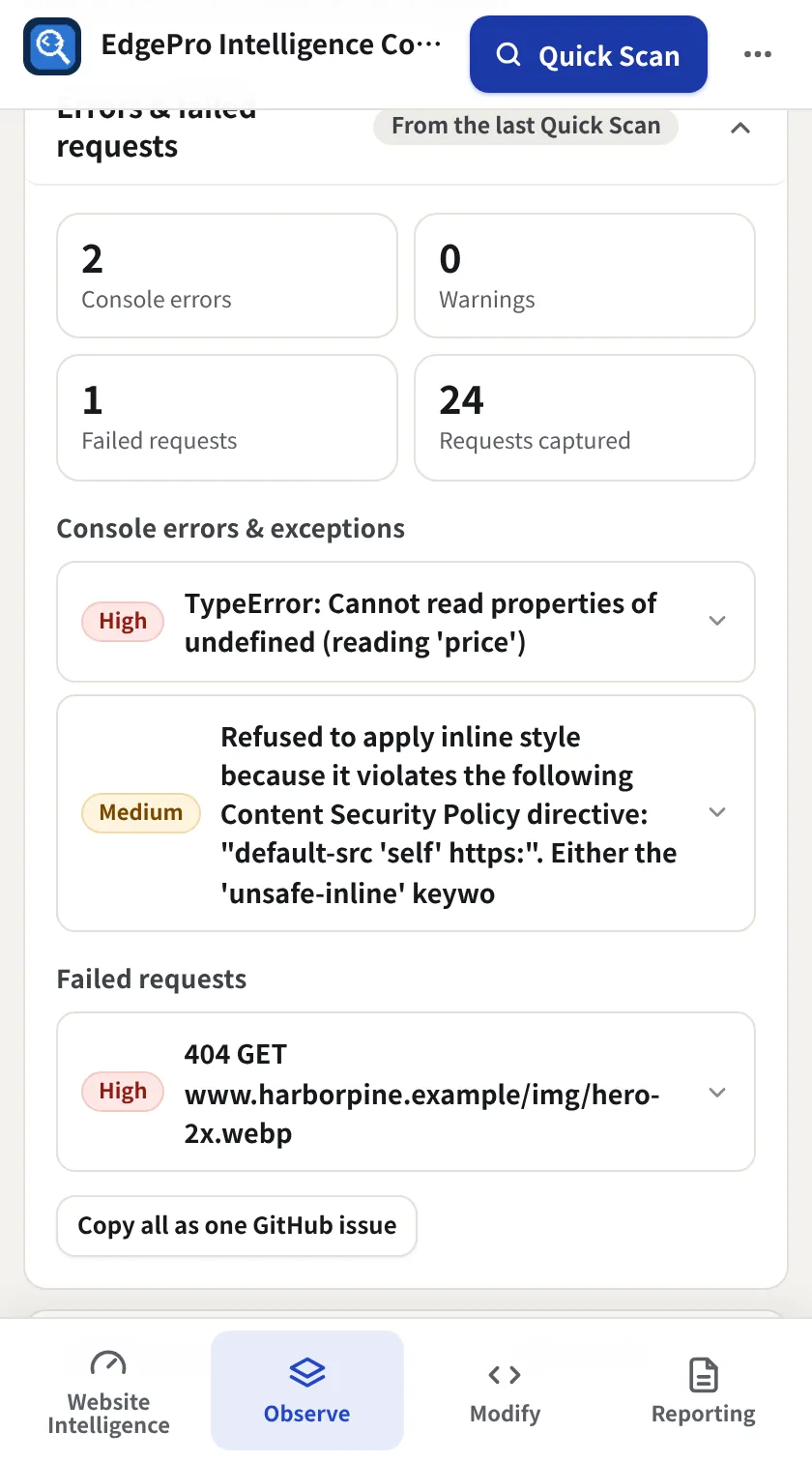
  • Console errors and exceptions with file, line and stack, with EPIC's own activity filtered out
  • Failed requests split into first-party and third-party, with ad-blocker blocks identified
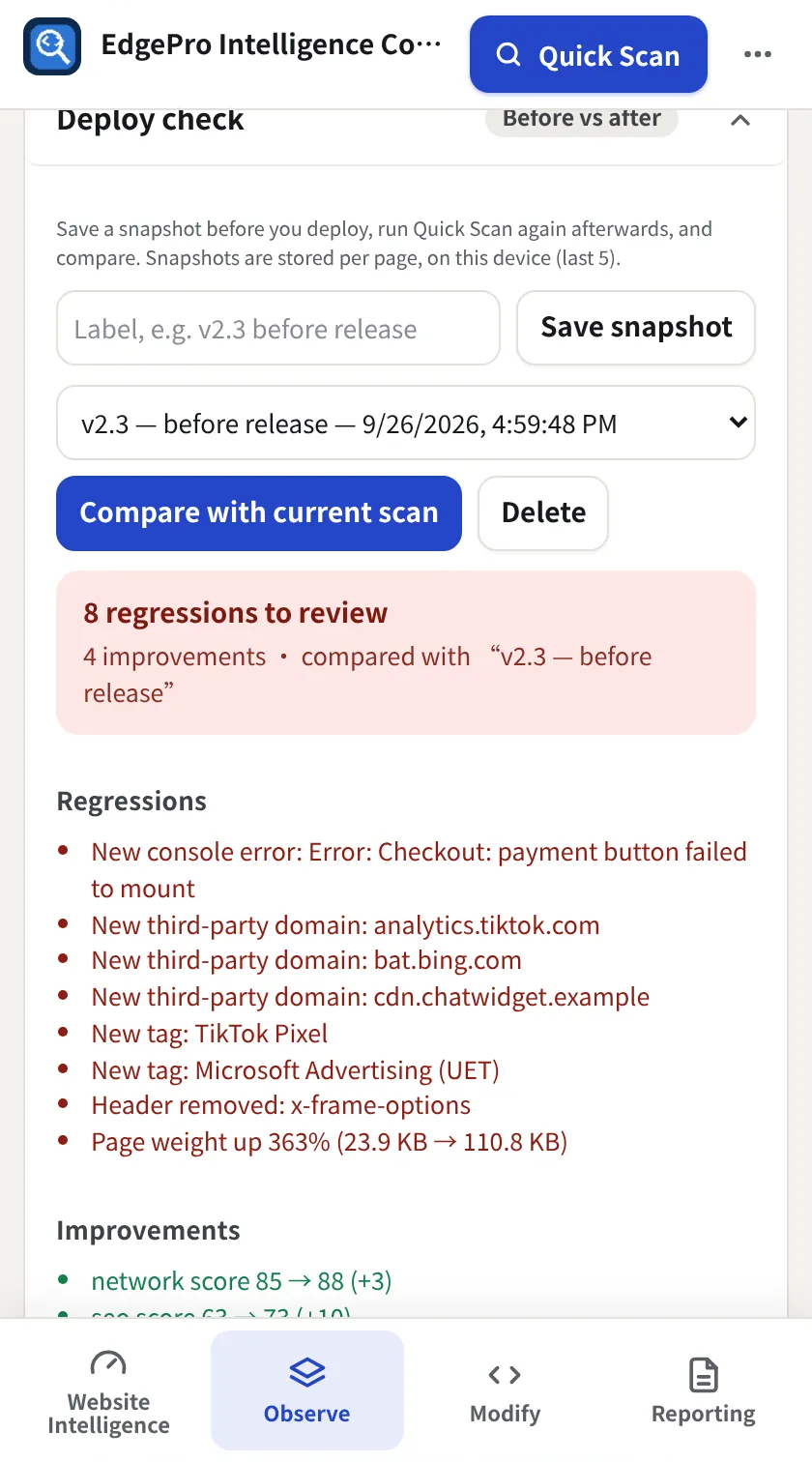
  • Save a snapshot, deploy, rescan: regressions and improvements in one list
  • Copy as a GitHub or Jira issue, or a PR comment
Observe + Reporting
Deploy check before vs after
Console errors and failed requests
History & monitoring

Know what changed, not just what's wrong.

Every scan is stored on your device and compared with the last. 100+ measurements, every file, every tag and every third party, logged whenever they change.

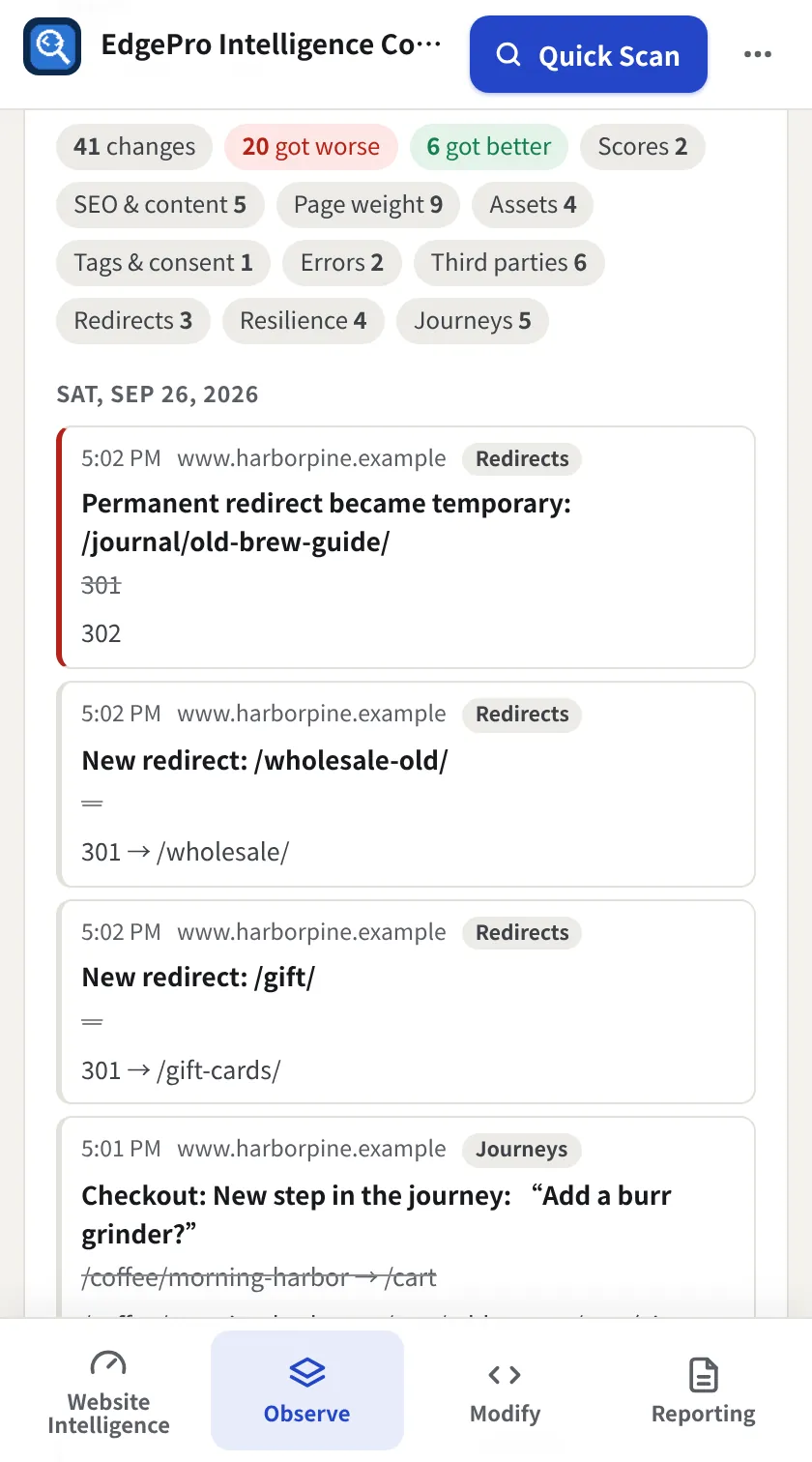
  • Change Log: scores that move 2+ points, any change in page size or requests, new/removed/resized files, SEO and content, tags and consent, security headers, errors and speed
  • Scheduled monitoring for up to 10 sites (25 on Modify), with competitors and baselines
  • Alerts at the threshold you choose (browser notifications), and a weekly digest
  • Keep 30, 60 or 90 days (up to a year on Modify), download anytime, or save a weekly CSV automatically
Observe + Reporting
Change Log in History
File changes between scans
Visual Timeline

A visual history of your site.

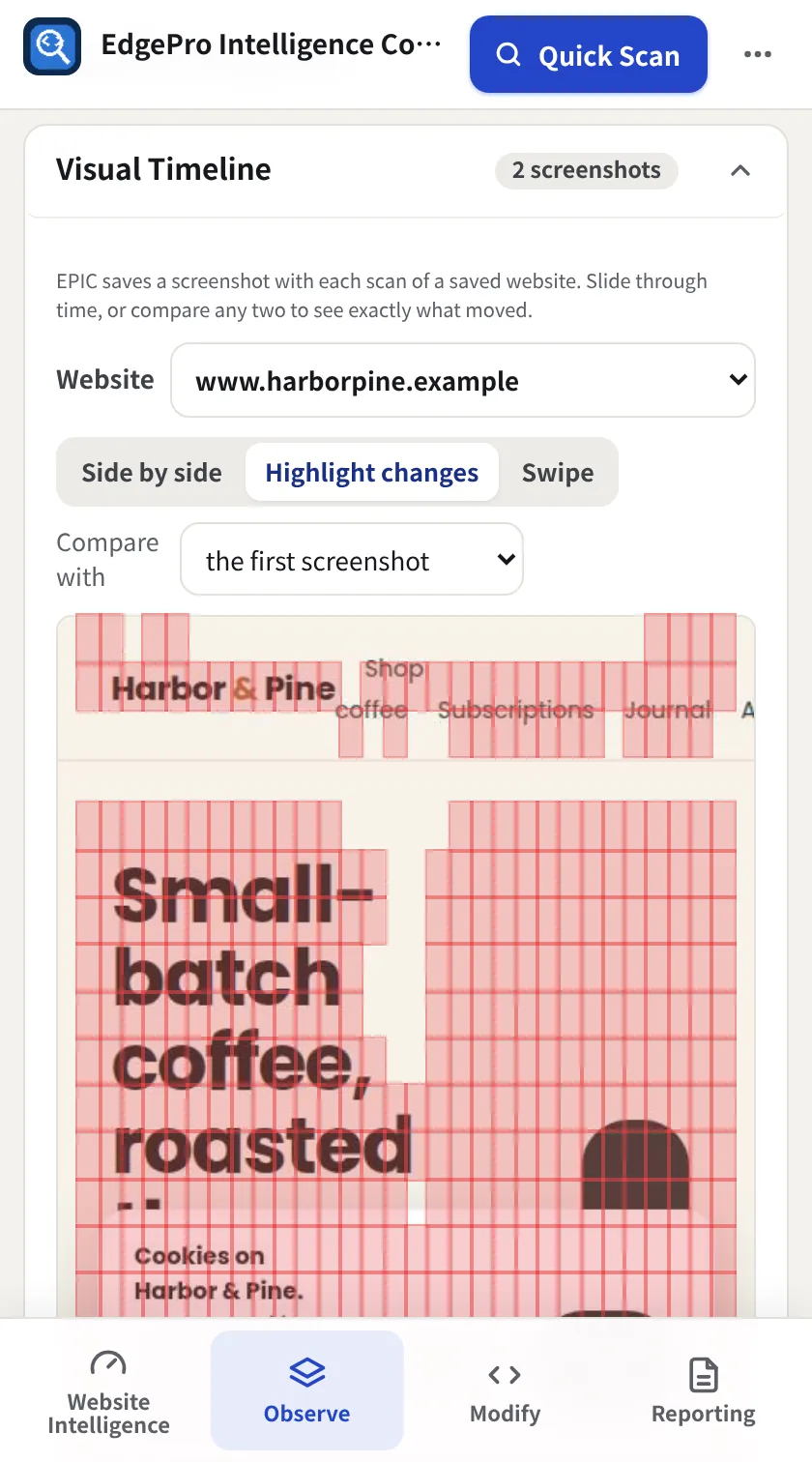
A screenshot is saved with every scan of a saved website. Slide through time, or compare any two moments.

  • Side by side, highlight changes (changed areas marked) or swipe
  • Compare with the first screenshot or the one before
  • The same lens powers every journey page
  • Stored in your browser and cleaned up with the history period you choose
Observe + Reporting
Visual Timeline with changes highlighted
Reports

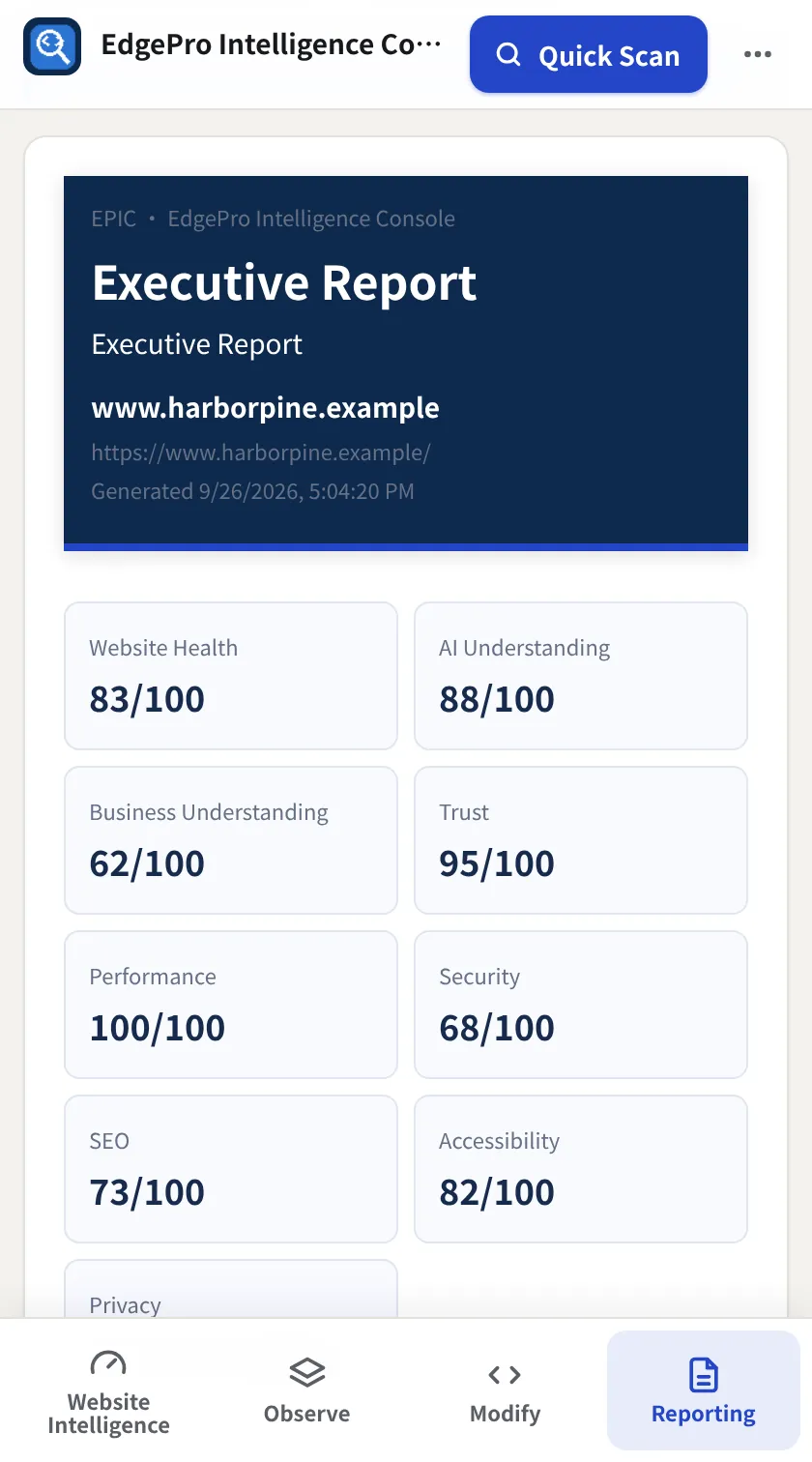
Reports people can actually understand.

Turn a scan into something your boss, client or developer can act on, in one click.

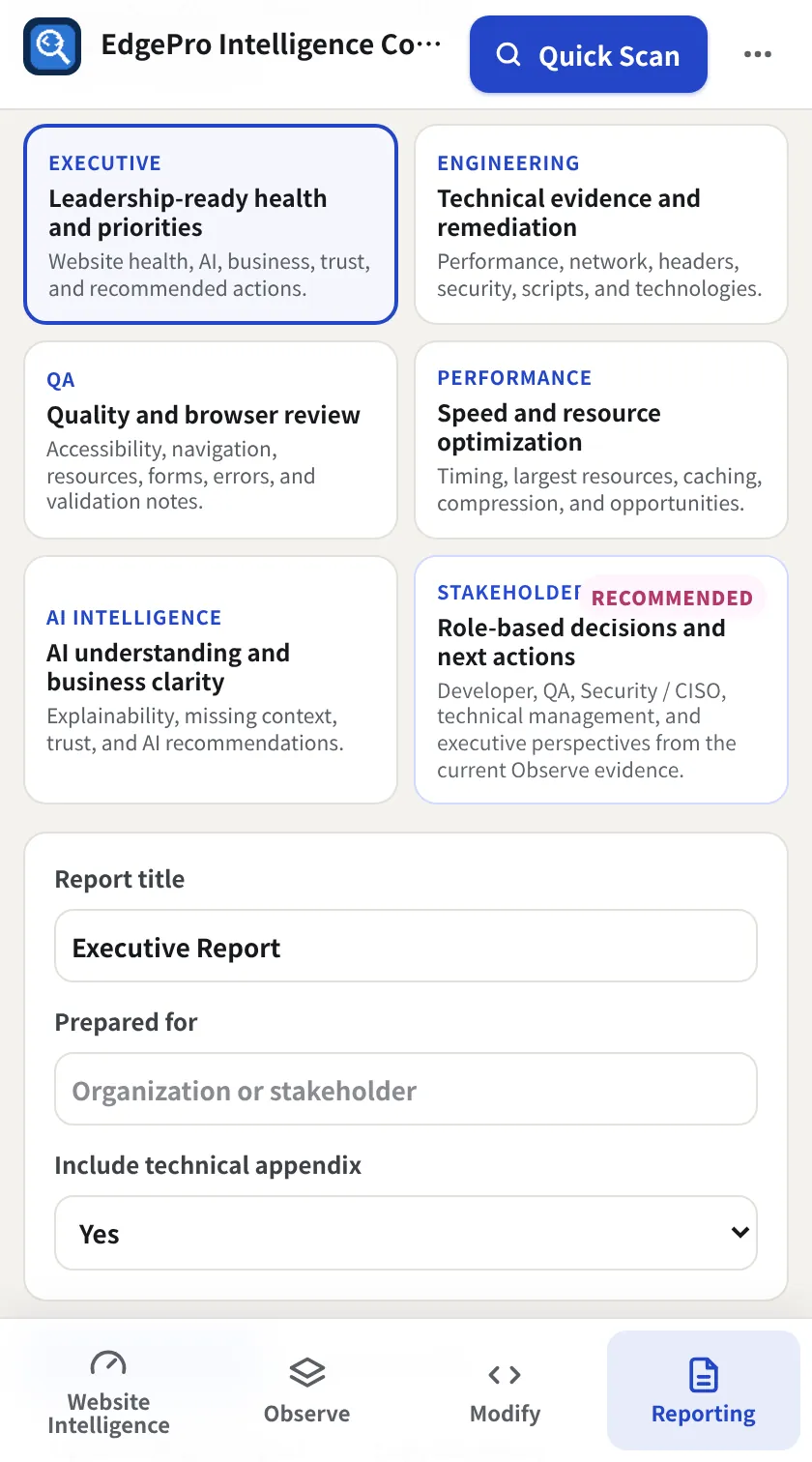
  • Executive, engineering, QA, performance, AI intelligence and stakeholder reports
  • Role-based recommendations and next actions
  • Print, save as PDF or export HTML
  • Included with Observe and Modify, with no add-on
Observe + Reporting
Executive report preview
Report Center
Modify

Test fixes on a live site before anyone ships them.

Change the page in your own browser (HTML, CSS, JavaScript, headers, cookies and devices) and see the result instantly. The real site is never touched.

  • Live HTML, CSS and JavaScript studios with an element inspector
  • Swap or block scripts, styles and images
  • Request and response header rules, cookie changes
  • Device and browser emulation, and a before/after Compare
  • HTTP/API Lab: build requests, saved login profiles, encrypted snippets
Modify + Reporting
Page Changes studio
HTTP/API Lab

Try it on your own site or app.

The free plan gives you the full 30-second picture. Upgrade inside EPIC when you want more.