
← All guides
Add, edit and delete cookies
Change cookies for the active site to test consent, sessions or feature flags.
- 1
Add a cookie
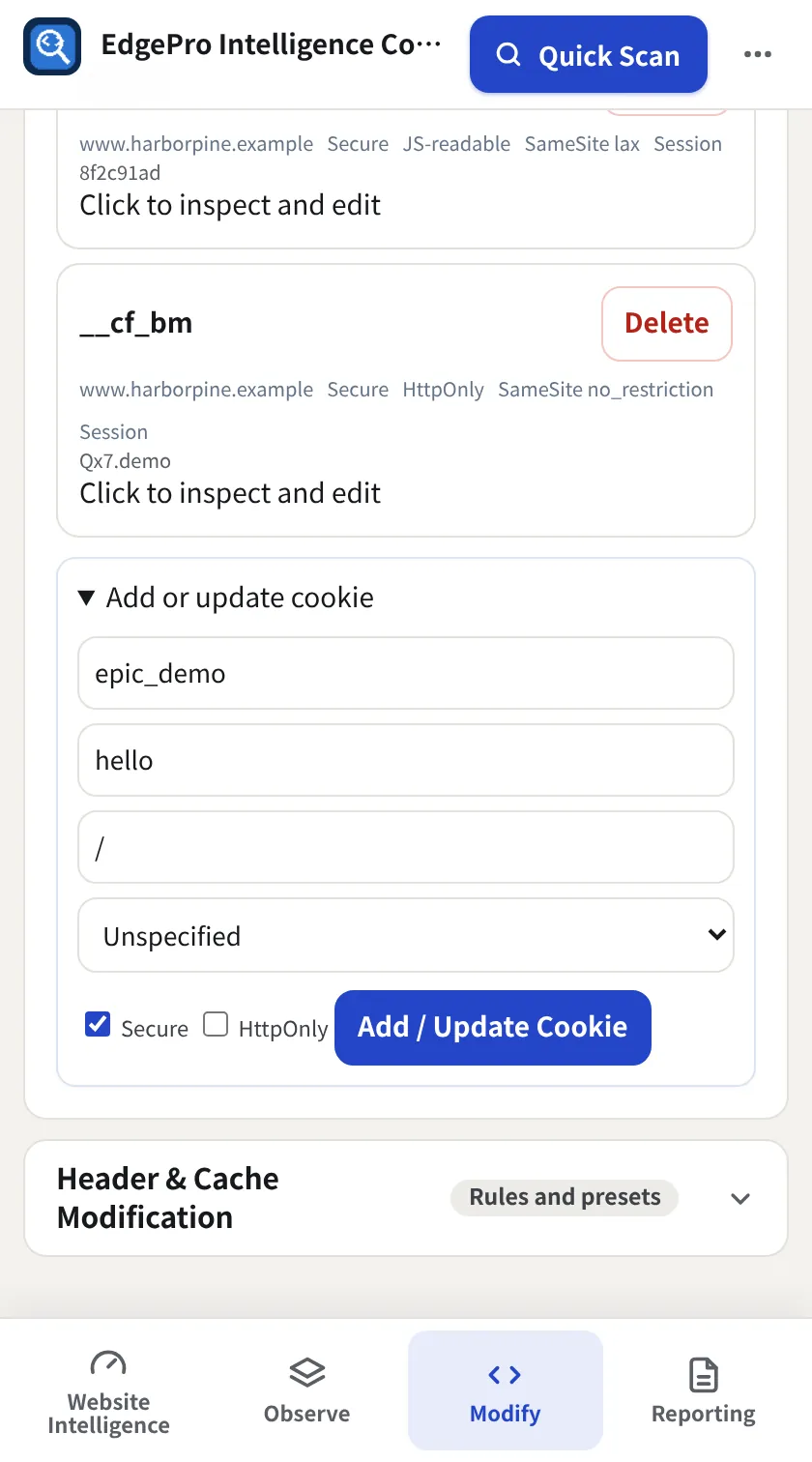
Open Cookie Modification, click + Add Cookie, fill in Name, Value, Path, SameSite and Secure/HttpOnly, then Add / Update Cookie.
- 2
Edit or delete
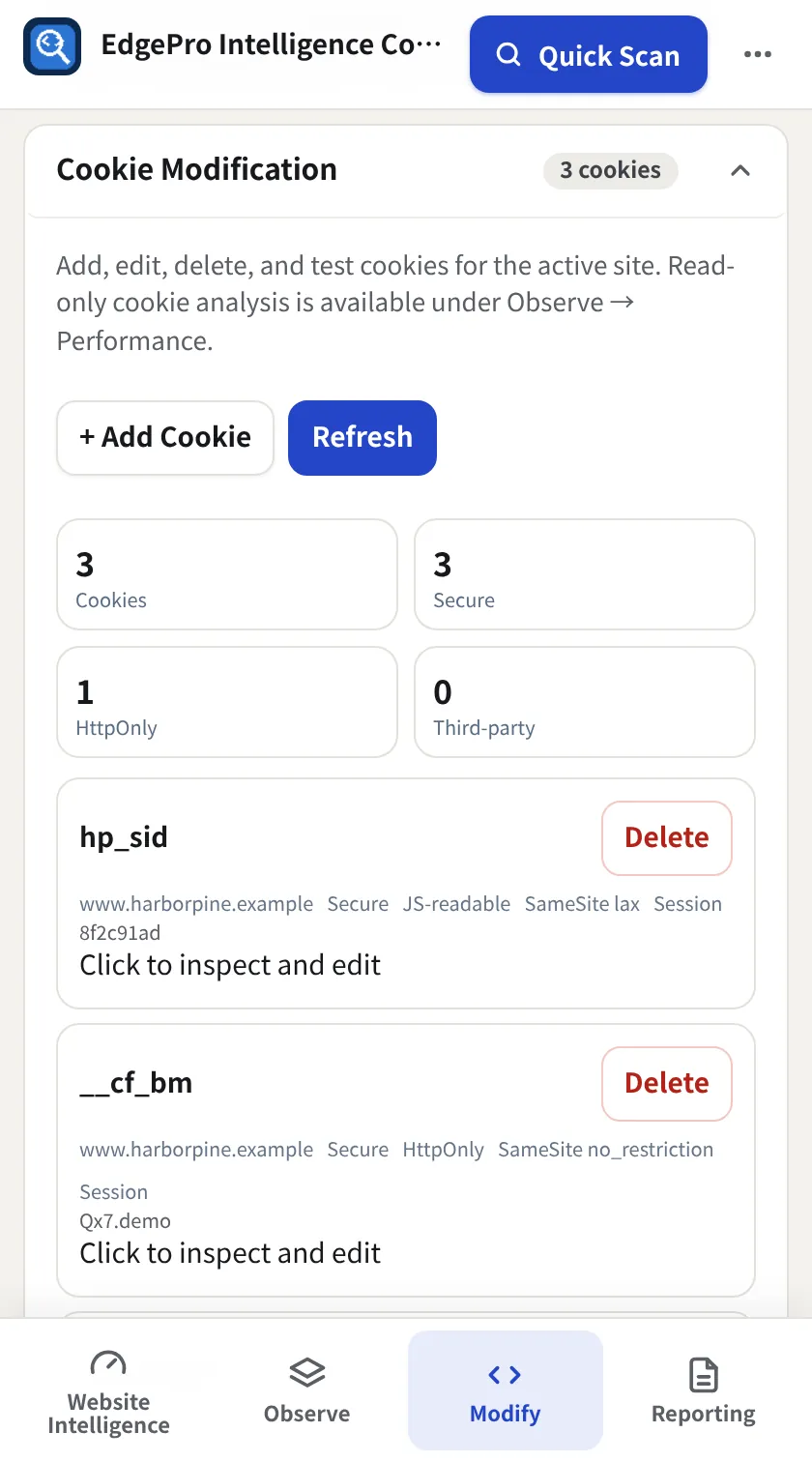
Every cookie is listed. Click to inspect and edit opens it; Delete removes it. Refresh re-reads cookies from the site.
Good to know
- Read-only cookie analysis is in Observe → Performance → Cookie Intelligence.