
See every API your app calls
An inventory of the API calls your screens make, how each is protected, what it returns and what changed since earlier scans.
- 1
Open APIs
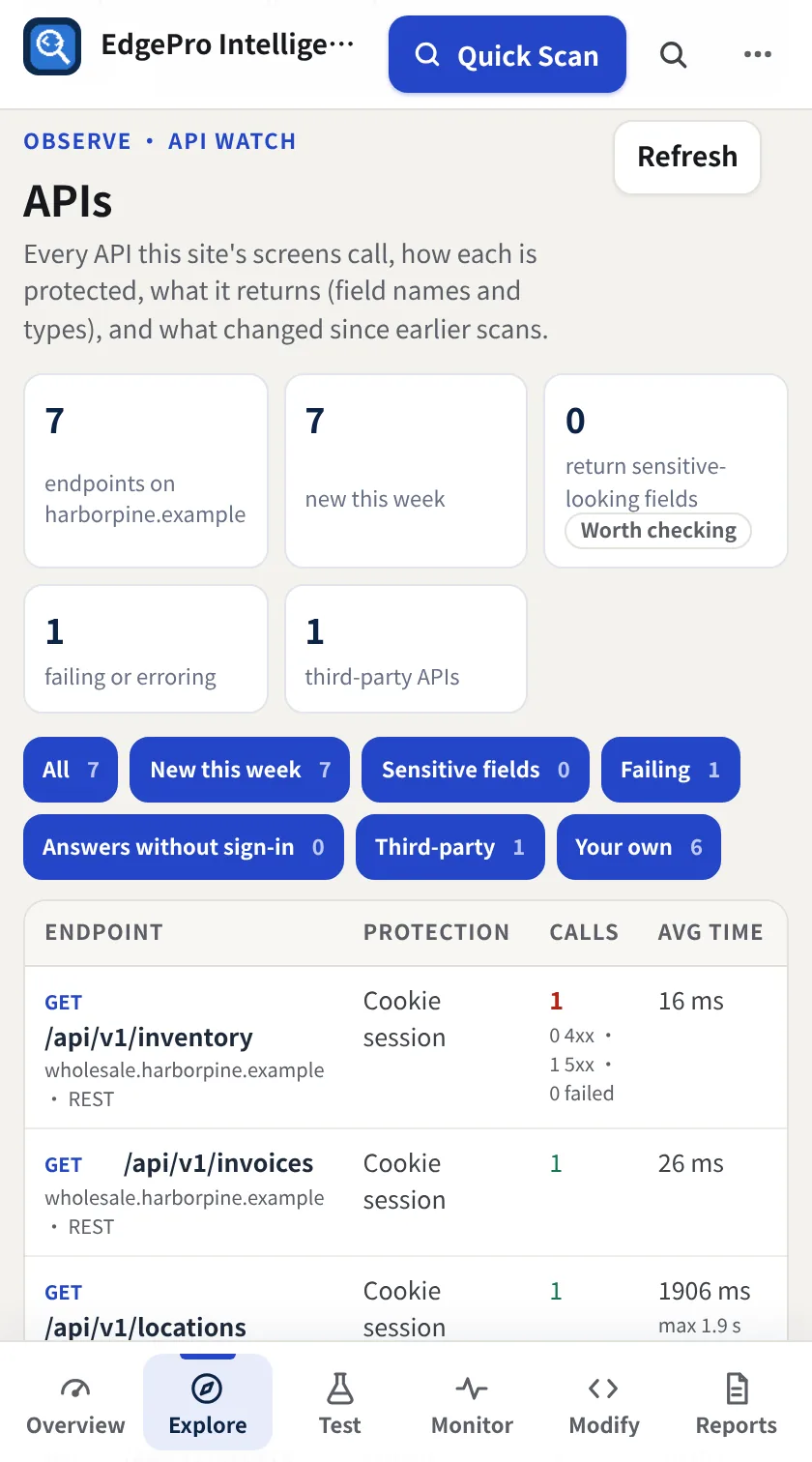
Use your app as normal (or run Quick Scan or App Crawl), then go to Explore → APIs. The cards count endpoints, new ones this week, responses with sensitive-looking fields, failing calls and third-party APIs.
- 2
Filter and open an endpoint
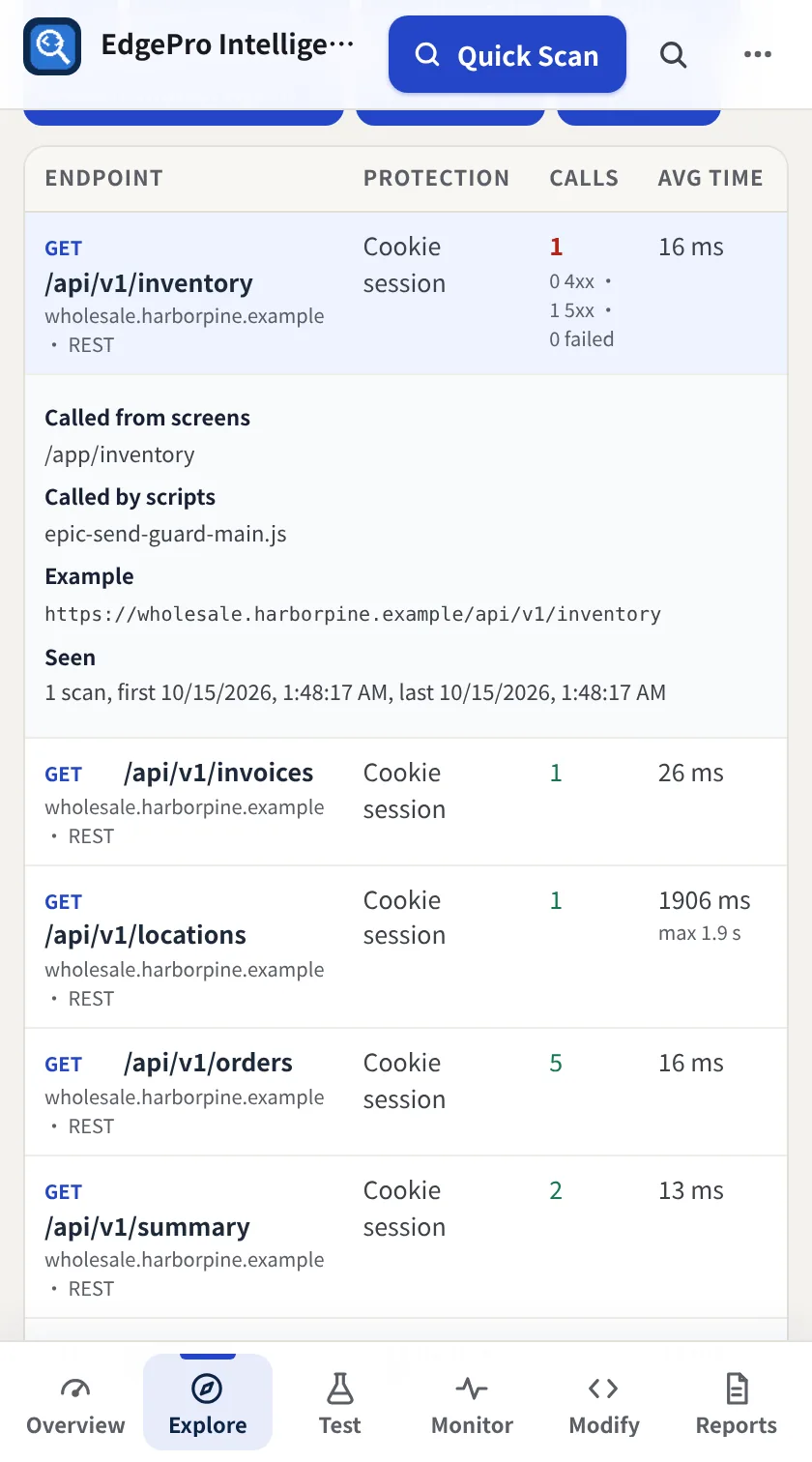
Use the filters (New this week, Sensitive fields, Failing, Answers without sign-in, Third-party, Your own). Click an endpoint for the screens and scripts that call it, an example address, when it was seen and the shape of its response.
- 3
Optional checks
Check for public API docs & debug pages looks for documentation and debug pages left open. Check which GET endpoints answer without sign-in retries read-only calls without your cookies. Both are off until you click them.
- 4
Download
Download inventory (CSV) saves the list.
- Field names and types are recorded; values are never stored.
- The optional checks send read-only (GET) requests without your sign-in. Use them only on apps you own or have permission to test.